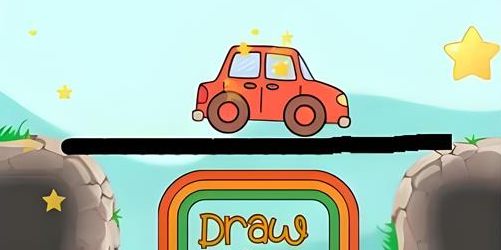
Use your creativity to draw bridges and help the car reach its destination
Draw The Bridge is a physics-based drawing puzzle that combines logic, timing, and imagination. Your mission is to draw lines or bridges that guide a car safely across gaps, ramps, and tricky obstacles. It's easy to start — just draw and see what happens — yet each level adds new challenges that test your problem-solving skills.
The game features clean visuals, smooth mechanics, and bite-sized levels that you can play anytime, anywhere — on desktop or mobile devices, no download required.
Play instantly in desktop or mobile browsers — no installation required.
Dozens of carefully designed stages that grow steadily in challenge.
Draw with mouse or touch to create bridges and paths.
Realistic physics make every bridge design matter for success.
Think before you draw: A short, well-placed bridge is better than a messy one.
Use the environment: Walls, ramps, and objects can help support your bridge.
Order matters: In advanced levels, activate mechanisms in the right sequence.
Experiment: Every level can be solved in multiple ways. Try new designs until it works.
Click the refresh  button in the upper left corner of the game area to restart the game.
Draw The Bridge supports running on browsers (desktop, mobile, tablet),